


OnlySpins Casino App
OnlySpins is fully optimised for mobile play, letting you spin slots, join live tables, and place sports bets directly in your browser on any modern Android or iOS device. You do not need to download a native OnlySpins Casino app: just add OnlySpins to your home screen for instant, one-tap access whenever you want to play.
OnlySpins on Mobile: What to Expect
When you visit OnlySpins on your smartphone or tablet, the site automatically adjusts to your screen size and orientation to deliver a smooth, app‑like experience with OnlySpins Casino. You can browse casino games, live dealer tables, jackpots, and the full sportsbook with the same features that are available on desktop, including promotions, tournaments, and VIP rewards. You don’t need to install the OnlySpins APK to get the full experience.
The mobile site keeps navigation simple with clear menus, fast-loading game thumbnails, and responsive buttons designed for touch. You can also access live chat support, the Help Centre, and account settings directly from the mobile interface without leaving your browser.
How to Add OnlySpins to Your Home Screen
Adding OnlySpins to your home screen turns the mobile site into a convenient shortcut that behaves very much like an installed OnlySpins Casino app. The process takes less than a minute and works through your mobile browser’s built‑in “Add to Home Screen” feature on both Android and iOS devices.
Once the Only Spins “app” is added, you will see the OnlySpins icon on your home screen, and tapping it will launch the casino in a standalone window. This gives you fast access to your favourite games and betting markets without having to type the URL each time.
Android: Add Shortcut via Browser Menu
Let’s go step by step to add Only Spins to your Android without downloading the app:
- Open the browser on your Android device and go to the OnlySpins website.
- If a prompt to install or create a shortcut appears, follow the link; if not, tap the menu icon (three dots) in the upper‑right corner of your browser.
- Scroll down in the menu, find the “Add to Home screen” button, and tap it.
- Enter a name for your shortcut if you wish, then confirm; your browser will place the OnlySpins icon on your home screen.
iOS: Add to Home Screen via Safari
Let’s go step by step to set up OnlySpins without APK:
- Open Safari on your iPhone or iPad and visit the OnlySpins website.
- Tap the share icon, which shows a box with an arrow pointing upwards, to open the iOS share sheet.
- Scroll through the options, find “Add to Home Screen,” and tap it.
- Choose a shortcut name if you like, then confirm, and Safari will add the OnlySpins icon to your home screen.
Navigating the OnlySpins Mobile Interface
The OnlySpins mobile interface is structured to help you get from the homepage to your preferred games or sports within a few taps. A compact header and sticky navigation make the main sections easy to reach, while large game tiles and buttons ensure comfortable use on small screens.
You will also find quick access to login, registration, search, and promotions from the top area of the mobile site. At the bottom, links to Help Centre, payments, terms, and other informational pages remain available for complete account control and support.
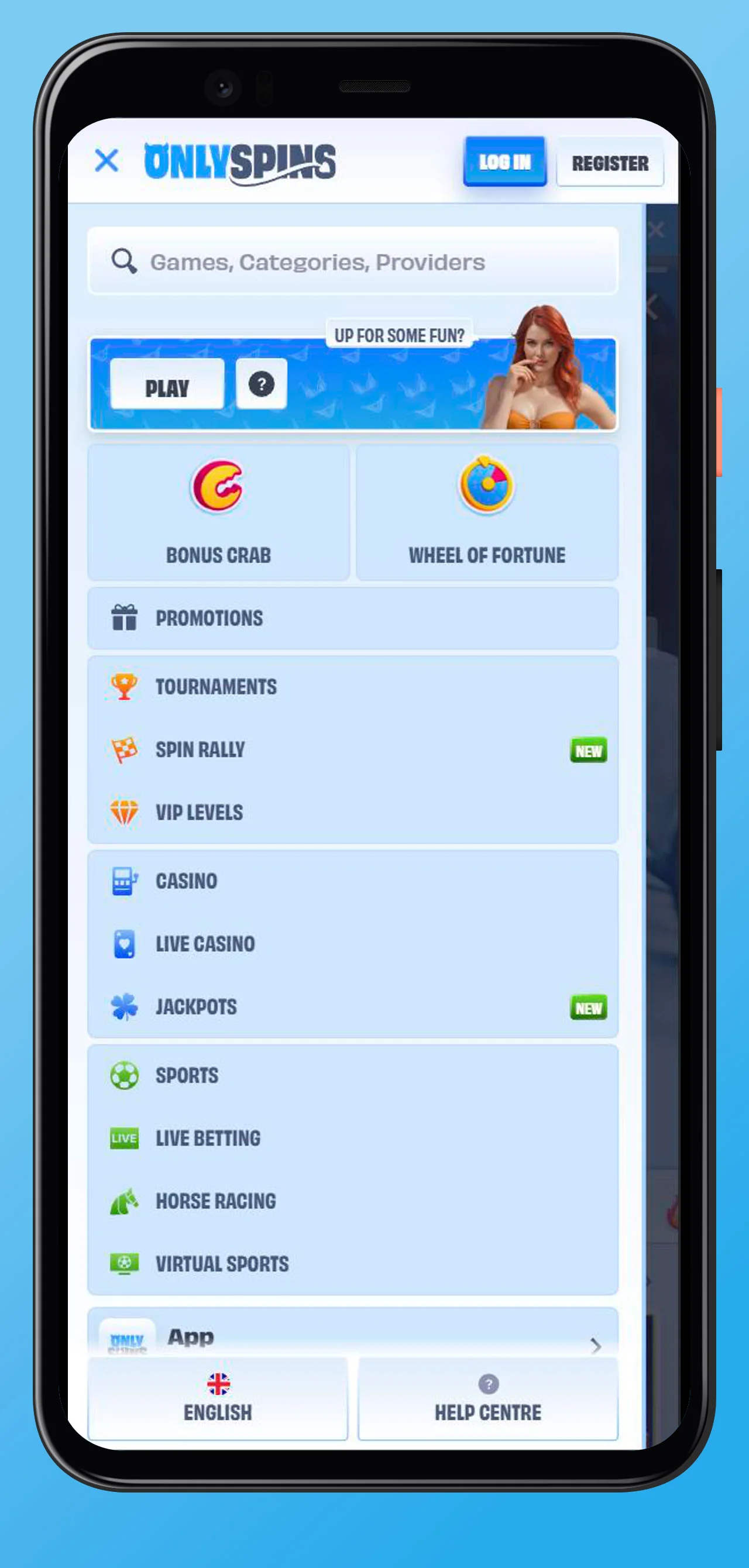
Casino, Live Casino, and Sports Sections on Mobile
On mobile, the lobby is divided into Casino, Live Casino, Jackpots, and Sports, each with its own dedicated page and subcategories. In the Casino section, you can scroll through slots and table games or jump into themed categories like Top, New, and Popular.
The Live Casino lobby is accessible from the main menu and offers live blackjack, roulette, baccarat, poker, and game shows, along with international language tables. If you prefer betting, the Sports and Live Betting sections provide access to worldwide markets, including popular leagues, esports, virtual sports, and more.
Search, Categories, and Game Providers
At the top of the mobile interface, a prominent search button opens a bar where you can type game names, categories, or provider titles. This allows you to quickly locate specific slots, live games, or sports events without scrolling through the full catalog.
In addition, you can filter by categories such as Megaways, instant games, jackpots or live dealer, and browse by provider to explore titles from leading studios. These tools make it simple to discover new favourites or return to games you already enjoy, even on a smaller screen.
Mobile Games and Betting at OnlySpins
All major game types at OnlySpins are available on mobile without a separate APK, with titles running directly in your browser using HTML5 technology. This means that slots, live games, and jackpot titles adapt to your device and can be played in portrait or landscape mode, where supported.
The sportsbook is fully integrated into the same mobile site, so you can switch seamlessly between spinning the reels and placing bets on your favourite teams. Live odds, markets, and bet slips are presented in a clear format optimised for touch navigation.
Slots, Live Casino, and Jackpots on Mobile
The Slots lobby on mobile offers traditional slots, modern video slots, Megaways titles, bonus buy slots, and instant games, all accessible with a few taps. Many of these games also provide demo versions, allowing you to try them out for free before wagering real money.

If you want more immersive action, the Live Casino lobby features roulette, blackjack, baccarat, poker, and game shows streamed in real time with professional dealers. For players chasing big wins, the dedicated Jackpots section includes progressive and featured jackpots grouped into categories like Hot, New, Daily, Lucky, and more.
Sportsbook and Live Betting on Mobile
Through the mobile sportsbook, you can place pre‑match bets on popular and niche sports, as well as esports and virtual sports. The interface presents tournaments and leagues with clear event listings, odds, and market types to help you construct your bet slip efficiently.
Live Betting is also available on mobile, letting you follow matches in real time and react to changing odds with in‑play wagers. Combined with features like boosted odds, accumulator boosts, and cashback promotions, the mobile sportsbook is designed to give you flexible betting opportunities wherever you are.
Login and Registration via Mobile
You can log in or register at OnlySpins directly from the mobile site using the same secure process as on desktop. The “Log in” and “Register” buttons are prominently displayed in the header, opening mobile‑friendly forms that guide you step by step.
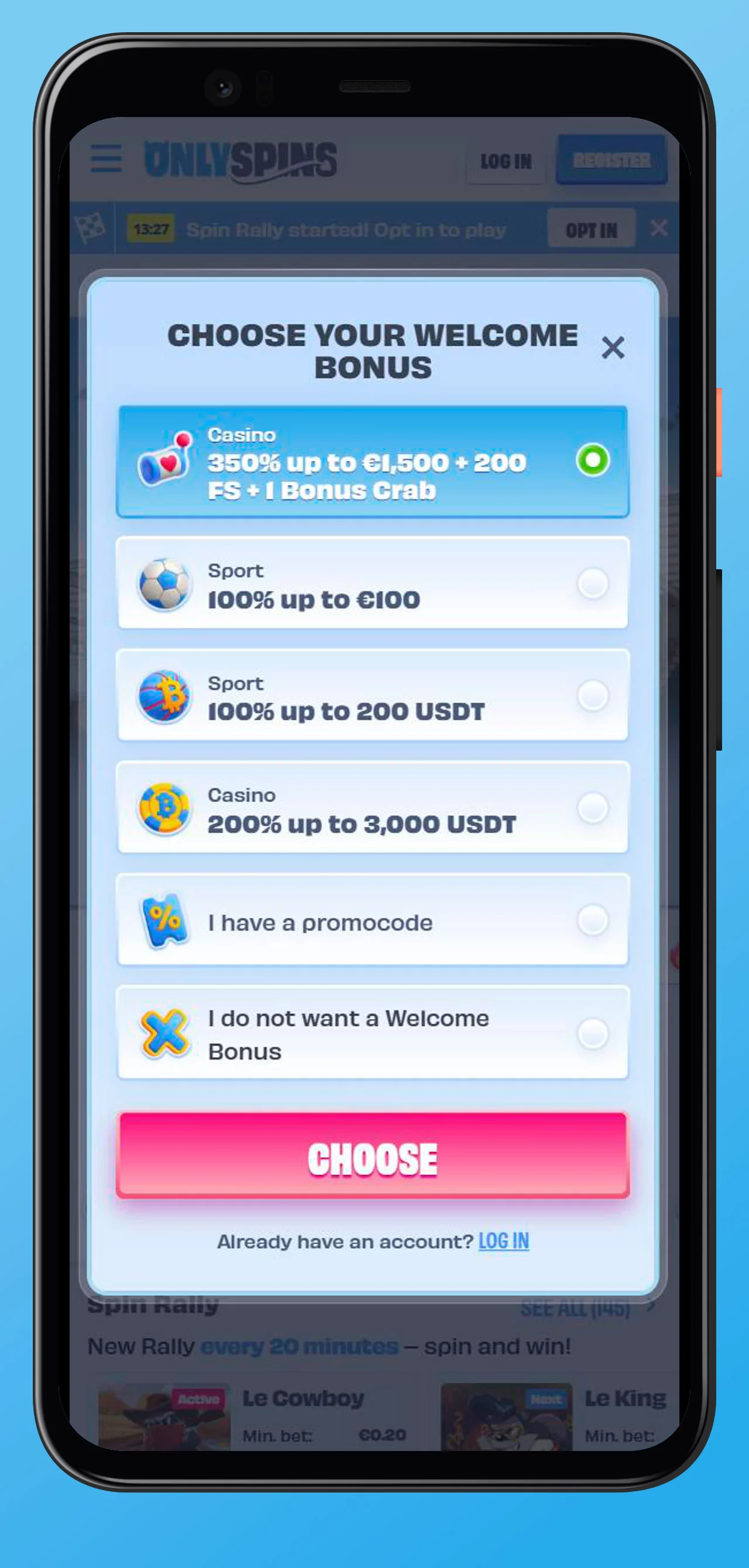
During registration, you can choose a welcome bonus, enter your email and password, confirm you are of legal age, and accept the terms and privacy policy, all from your phone. Once your account is created, you can manage deposits, withdrawals, and bonuses through the mobile cashier.
Why Play at OnlySpins on Mobile
Playing without downloading at OnlySpins on mobile gives you the flexibility to spin slots, join live tables, and place sports bets whenever and wherever it suits you. The OnlySpins Casino site is optimised for both Android and iOS, so you can enjoy a consistent, app‑like experience without downloading any additional software.
You still have access to the full range of casino games, jackpots, sportsbook markets, promotions, tournaments, VIP levels, and gamified features like Bonus Crab and OnlySpins games. With 24/7 customer support, secure payments, and responsible gaming tools also available on mobile, you can enjoy entertainment with peace of mind.