


OnlySpins Casino Login: Sign In and Register
Feel the thrill from the very first click at OnlySpins, where flashy slots, live dealers, and hot sports odds are just one quick login away. Whether you are a new player ready to claim a generous welcome bonus or a returning member eager to jump back into your favorite games, OnlySpins seamless sign-in and registration process keeps the focus on entertainment, not paperwork.
OnlySpins Casino: Sign Up or Log In
At OnlySpins Casino, you can quickly access real-money casino games and sports betting after a fast OnlySpins registration or a simple login with your existing credentials. Whether you prefer classic email sign-up or a streamlined PlayID flow, the platform is designed to get you into the action in just a few clicks.
How to Create an OnlySpins Account
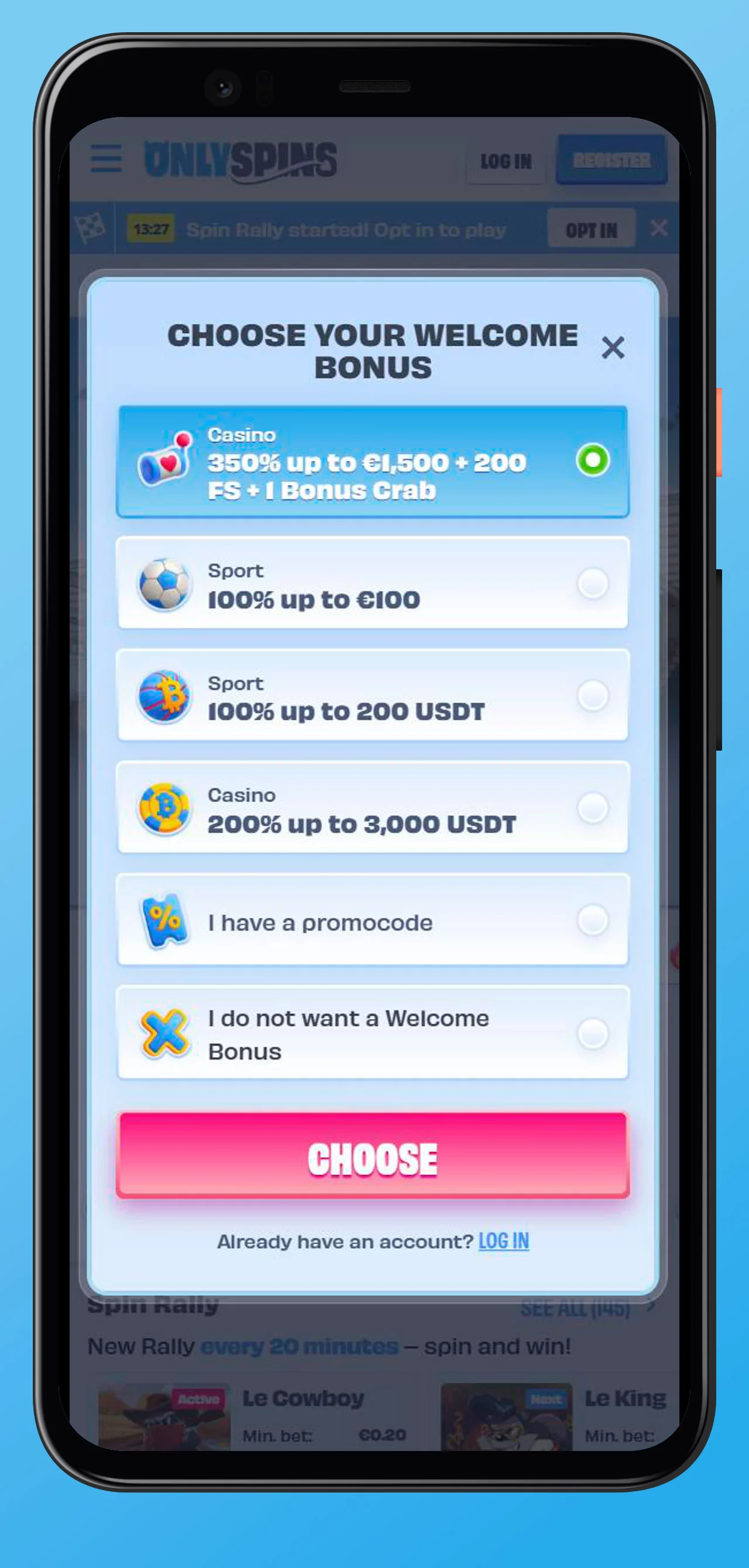
Creating an account at OnlySpins opens the door to hundreds of casino titles, live games, and exciting sports markets, plus a choice of welcome bonuses during OnlySpins registration. The OnlySpins registration form is optimized for both desktop and mobile, so you can complete all steps in one smooth, guided flow.
Step 1 — Enter Email and Password
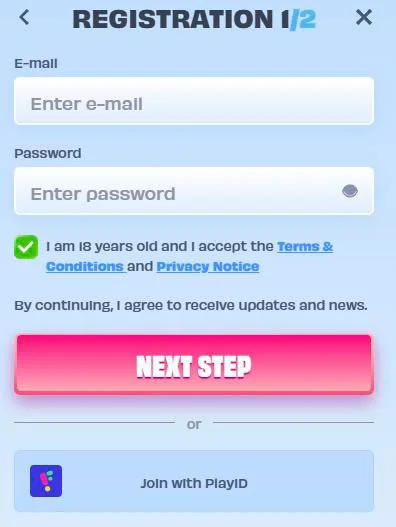
To start, click the Register button in the header on desktop or mobile and open the OnlySpins Casino sign-up form. Enter a valid email address, create a strong password, and confirm that you accept the platform’s Terms and Conditions and Privacy Policy.
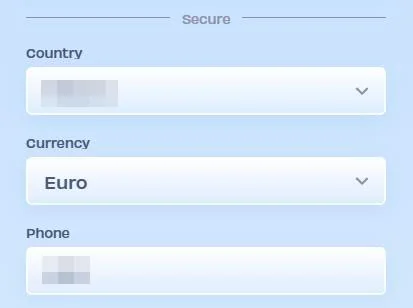
You may also be asked to confirm your country and preferred currency so your future deposits, withdrawals, and bonuses are displayed correctly. Make sure you have access to the email you provide, as OnlySpins may use it for account confirmation and important security notifications.
Step 2 — Fill in Personal Details
In the next step of the OnlySpins Casino sign-up process, you complete your personal profile with details such as your full name, date of birth, and residential address. These details must be accurate and match your official documents, because they will be used later for account verification and payments.
You might also be asked for a mobile phone number to enhance account security and receive critical account alerts. Providing complete and truthful information at this stage helps prevent delays during withdrawals and KYC checks.
Alternative Registration via PlayID
If you prefer a faster onboarding, OnlySpins allows you to join with PlayID directly from the login window. Using PlayID, some of your basic data can be securely shared, which reduces manual form-filling and speeds up your first login.
You still need to meet all eligibility requirements and agree to OnlySpins’ rules, but PlayID provides a convenient shortcut for players who already use this identity solution. Once connected, your OnlySpins account is created, and your PlayID can be used for future logins as an alternative to your email and password.
How to Log In to OnlySpins Casino
Once your profile is created, logging in to OnlySpins Casino takes just seconds from any supported device. You can access the OnlySpins Casino login form from the Log in button in the site header or directly from certain promotional pages and widgets.
Desktop Login
On a desktop, click Log in at the top of the OnlySpins Casino homepage to open the authorization window. Enter the email and password you used during OnlySpins registration, then confirm to access your balance, bonuses, and full game lobby.
If you have PlayID linked, you can select the PlayID option to sign in instead of entering your credentials manually. For security, always log out when using shared or public computers and avoid saving passwords in browsers you do not control.
Mobile Login
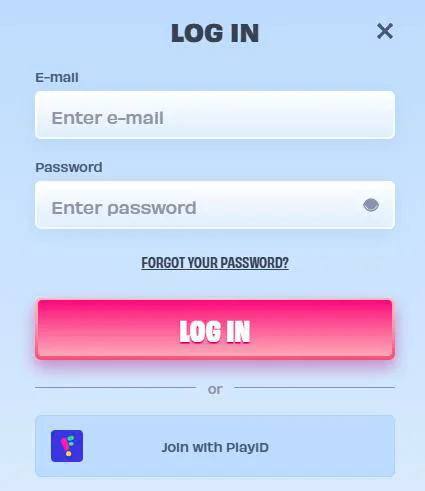
On smartphones and tablets, tap the Log in button in the mobile header to open the compact login panel. The mobile form mirrors the desktop version, allowing you to enter your email and password or connect via PlayID.
OnlySpins adapts its interface for smaller screens, so you can quickly switch between casino, live casino, and sports after logging in. All core account features, including cashier and bonus management, remain available on mobile without compromising usability.
Troubleshooting Login Issues
If you cannot sign in, start by checking for simple issues such as incorrect email, password typos, or the use of outdated browser sessions. Clearing cache, updating your browser, or trying a different device often resolves minor access problems.
In case the issue persists, the OnlySpins Help Center and live chat are available to investigate possible account restrictions, technical errors, or security holds. Support agents can guide you through recovery steps or explain what actions are required from your side.
Password Recovery and Account Access
If you have forgotten your password, use the Forgot your password? link in the login window to start the reset process. You will typically receive an email with further instructions and a secure link to set a new password.
For your protection, OnlySpins may apply temporary login limits or additional checks if multiple failed attempts are detected. If you suspect unauthorized access or cannot restore your password, contact customer support immediately for manual identity verification and account review.
Account Verification at OnlySpins
Account verification is a mandatory step that helps OnlySpins comply with licensing requirements and protect players from fraud. You may be asked to complete verification before your first withdrawal or when you reach certain transactional thresholds.
KYC Process and Required Documents
As part of the KYC (Know Your Customer) process, OnlySpins may request documents such as an identity card or passport, proof of address, and sometimes payment method confirmations. All documents must clearly display your name, date of birth, and other relevant fields so that the compliance team can validate your data.
Uploaded documents are handled in line with strict security and privacy standards, and OnlySpins uses them solely for regulatory and risk management purposes. In some cases, additional information can be requested to clarify inconsistencies or to meet the rules of payment providers and regulators.
Age Verification: 18+ Policy
OnlySpins only accepts customers who are at least 18 years old, and age checks are an essential part of the verification flow. If the operator cannot confirm that you are 18 or older, your account may be restricted or closed, and any access to real-money gaming will be blocked.
The site clearly states that gambling can be addictive and emphasizes that minors are not allowed to register, deposit, or play for real money on the platform. You might be asked to supply official proof of age to confirm compliance with this policy.
Responsible Gaming and Player Safety
OnlySpins promotes responsible gaming and offers tools to help you stay in control of your play. Among the available measures are deposit limits, loss limits, session limits, and the option to temporarily suspend or permanently self-exclude your account.
Educational content and warning messages highlight the risks of problem gambling and encourage players to treat betting as entertainment, not a source of income. The site also provides links to independent support organizations for those who feel their gambling is becoming problematic.